Certificate in Basic Computer Skills (CBCS) एक प्रारंभिक स्तर का computer course है, जिसे उन विद्यार्थियों और व्यक्तियों के लिए तैयार किया गया है जो कंप्यूटर का उपयोग शुरुआत से सीखना चाहते हैं।
आज के समय में शिक्षा, नौकरी, व्यवसाय, सरकारी एवं निजी कार्य, online आवेदन, documents तैयार करना, email भेजना और internet का उपयोग—लगभग हर क्षेत्र में basic computer knowledge की आवश्यकता होती है।
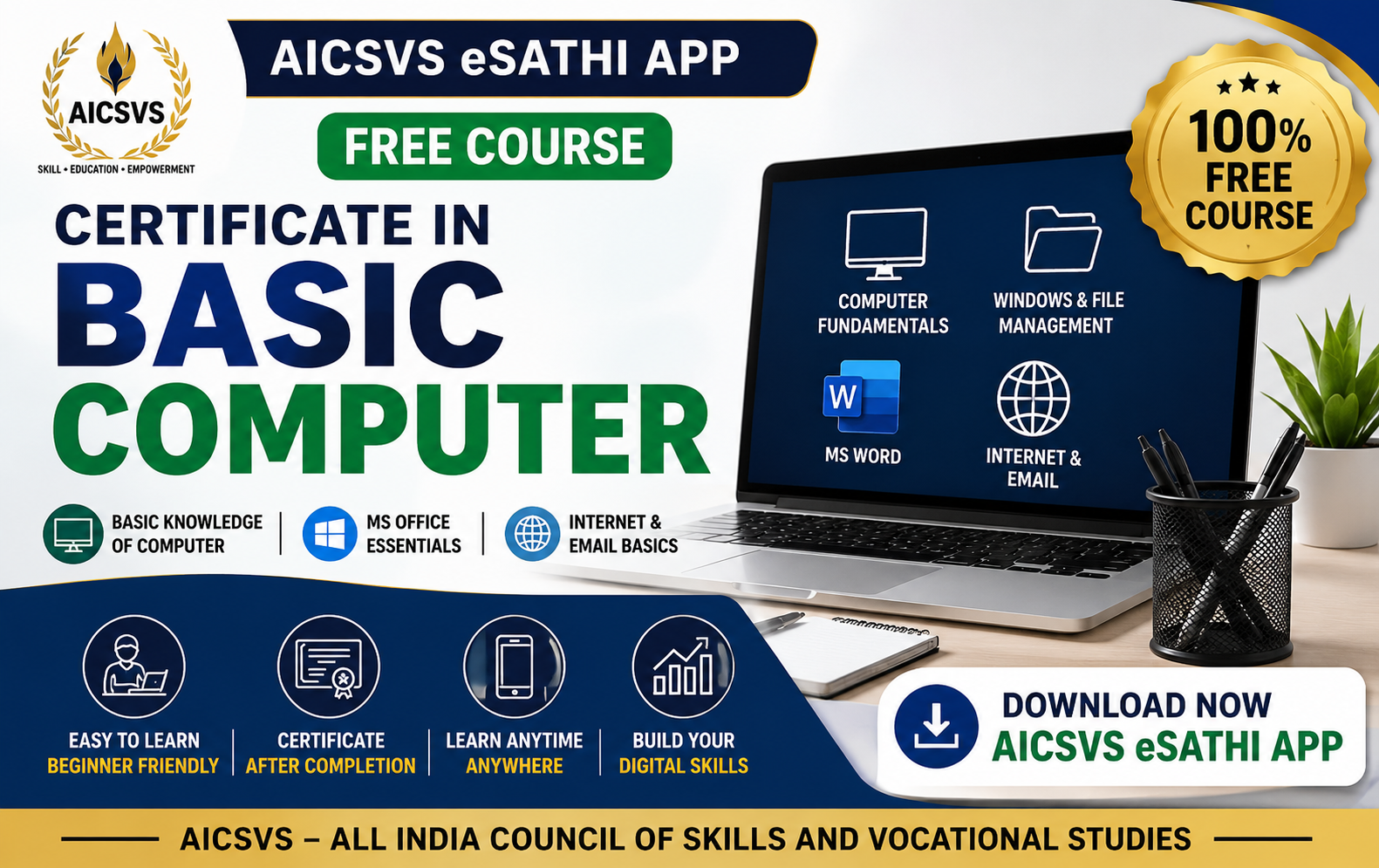
इस course के माध्यम से विद्यार्थी Computer Fundamentals से लेकर Windows, File एवं Folder Management, MS Word, Internet और Email तक की आवश्यक जानकारी प्राप्त करेंगे।
यह course विशेष रूप से beginners के लिए सरल भाषा और step-by-step learning format में तैयार किया जा सकता है।
इस course का मुख्य उद्देश्य विद्यार्थियों को:
Computer की basic जानकारी देना
Computer के मुख्य parts को समझाना
Hardware एवं Software का परिचय कराना
Windows का basic उपयोग सिखाना
File एवं Folder को manage करना सिखाना
MS Word में basic documents बनाना सिखाना
Internet एवं Web Browser का उपयोग समझाना
Email भेजना एवं प्राप्त करना सिखाना
Basic digital safety के प्रति जागरूक बनाना
इस module में विद्यार्थी कंप्यूटर की बुनियादी जानकारी प्राप्त करेंगे।
Introduction to Computer
History and Development of Computer
Types of Computer
Uses of Computer
Characteristics of Computer
Hardware and Software
Input Devices
Output Devices
CPU and its Basic Functions
Memory and Storage Devices
Primary and Secondary Memory
Keyboard and Mouse Basics
Computer Ports and Basic Connections
Introduction to Operating System
Basic Computer Terminology
इस module के बाद विद्यार्थी कंप्यूटर के मुख्य भागों और उनके उपयोग को समझ सकेंगे।
इस module में विद्यार्थी Computer Operating System और files/folders को manage करना सीखेंगे।
Introduction to Windows
Desktop and Desktop Icons
Start Menu
Taskbar
Opening and Closing Applications
File and Folder क्या है
Creating a New Folder
Opening Files and Folders
Copy and Paste
Cut and Move
Rename Files and Folders
Delete and Restore Files
Recycle Bin
Searching Files
Basic File Extensions
USB/Pen Drive का Basic Use
Basic Computer Security
Antivirus का सामान्य परिचय
विद्यार्थी अपने computer में files और folders को व्यवस्थित और सुरक्षित तरीके से manage कर सकेंगे।
इस module में विद्यार्थी MS Word का उपयोग करके basic documents तैयार करना सीखेंगे।
Introduction to MS Word
MS Word Interface
Creating a New Document
Opening and Saving Documents
Typing and Editing Text
Cut, Copy and Paste
Font Type and Font Size
Bold, Italic and Underline
Text Alignment
Paragraph Formatting
Bullets and Numbering
Page Setup
Margins and Orientation
Inserting Basic Tables
Header and Footer
Basic Resume Preparation
Application and Letter Preparation
Print Preview
Printing Documents
इस module के बाद विद्यार्थी सामान्य documents, applications और basic resume तैयार कर सकेंगे।
इस module में विद्यार्थी Internet और Email का basic उपयोग सीखेंगे।
Introduction to Internet
Web Browser क्या है
Popular Web Browsers
Search Engine का उपयोग
सही जानकारी Search करना
Opening Websites
Creating an Email Account
Sending an Email
Receiving and Reading Emails
Reply and Forward
Email Attachments
Downloading Files
Uploading Documents
Online Forms का Basic Use
Introduction to Digital Services
Password Safety
OTP एवं Basic Cyber Safety
पहचान एवं धोखाधड़ी से बचाव की सामान्य जानकारी
Safe Internet Browsing
Digital Privacy की Basic जानकारी
विद्यार्थी Internet, Web Browser और Email का सामान्य एवं सुरक्षित उपयोग कर सकेंगे।
कुल अवधि: 4 Weeks / 1 Month
Suggested Study Plan:
Module 1 – Computer Fundamentals
Module 2 – Windows & File Management
Module 3 – Basic MS Word
Module 4 – Internet, Email & Digital Skills
इसके बाद:
Online Assessment / MCQ Test
Course completion के लिए:
प्रत्येक Module के बाद Practice Quiz
Online MCQ आधारित Assessment
Basic knowledge-based questions
निर्धारित passing criteria के अनुसार result
Course completion requirements और certificate criteria AICSVS द्वारा निर्धारित किए जा सकते हैं।
सभी निर्धारित modules complete करने और assessment requirements पूरी करने के बाद विद्यार्थी को:
Course Completion Certificate
प्रदान किया जा सकता है।
आज लगभग हर क्षेत्र में basic computer knowledge उपयोगी है। यह course उन लोगों के लिए एक अच्छी शुरुआत है जो:
पहली बार computer सीखना चाहते हैं
आगे CCA, DCA या अन्य computer courses करना चाहते हैं
नौकरी के लिए basic digital skills विकसित करना चाहते हैं
Online forms और documents के साथ काम करना सीखना चाहते हैं
Email और Internet का उपयोग सीखना चाहते हैं
सामान्य office-related computer work समझना चाहते हैं
अपनी digital confidence बढ़ाना चाहते हैं
Beginners को computer की basic understanding प्राप्त होगी।
विद्यार्थी computer और digital services का उपयोग करने में अधिक confident बन सकते हैं।
Documents, applications और basic resume तैयार करने की समझ विकसित होगी।
Information search करना और websites का उपयोग समझ आएगा।
Professional एवं सामान्य email communication की basic जानकारी मिलेगी।
यह course CCA, DCA और अन्य advanced computer courses के लिए foundation का काम कर सकता है।
Online study, assignments, projects और digital learning में मददगार।
Files, documents और basic computer operations की जानकारी विकसित होगी।
यह course निम्नलिखित लोगों के लिए उपयुक्त है:
School Students
College Students
Job Seekers
Beginners
Homemakers
Working Professionals जिन्हें basic computer सीखना है
ऐसे व्यक्ति जिन्होंने पहले कभी computer का उपयोग नहीं किया है
यह course AICSVS eSathi App के माध्यम से online उपलब्ध कराया जा सकता है।
विद्यार्थी:
अपने mobile से सीख सकते हैं
अपनी सुविधा के अनुसार lessons complete कर सकते हैं
Module-wise अध्ययन कर सकते हैं
Quiz एवं Assessment दे सकते हैं
Course completion requirements पूरी कर सकते हैं
✅ 100% Free Course
✅ Beginner Friendly
✅ Easy Learning Modules
✅ Mobile App Based Learning
✅ Learn at Your Own Pace
✅ Basic Computer Knowledge
✅ Windows & File Management
✅ MS Word Basics
✅ Internet & Email Skills
✅ Online Assessment
✅ Course Completion Certificate*
Learn • Practice • Build Digital Skills • Complete the Course
CERTIFICATE IN BASIC COMPUTER programme admission is now open. Limited seats available.